Mapping in Factory not working

Collapse
X
 
  • Time
  • Show
Clear All
new posts
  • floriegel
    Junior Member
    • May 2023
    • 21

    #1

    Mapping in Factory not working

    Hi,

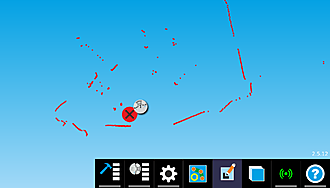
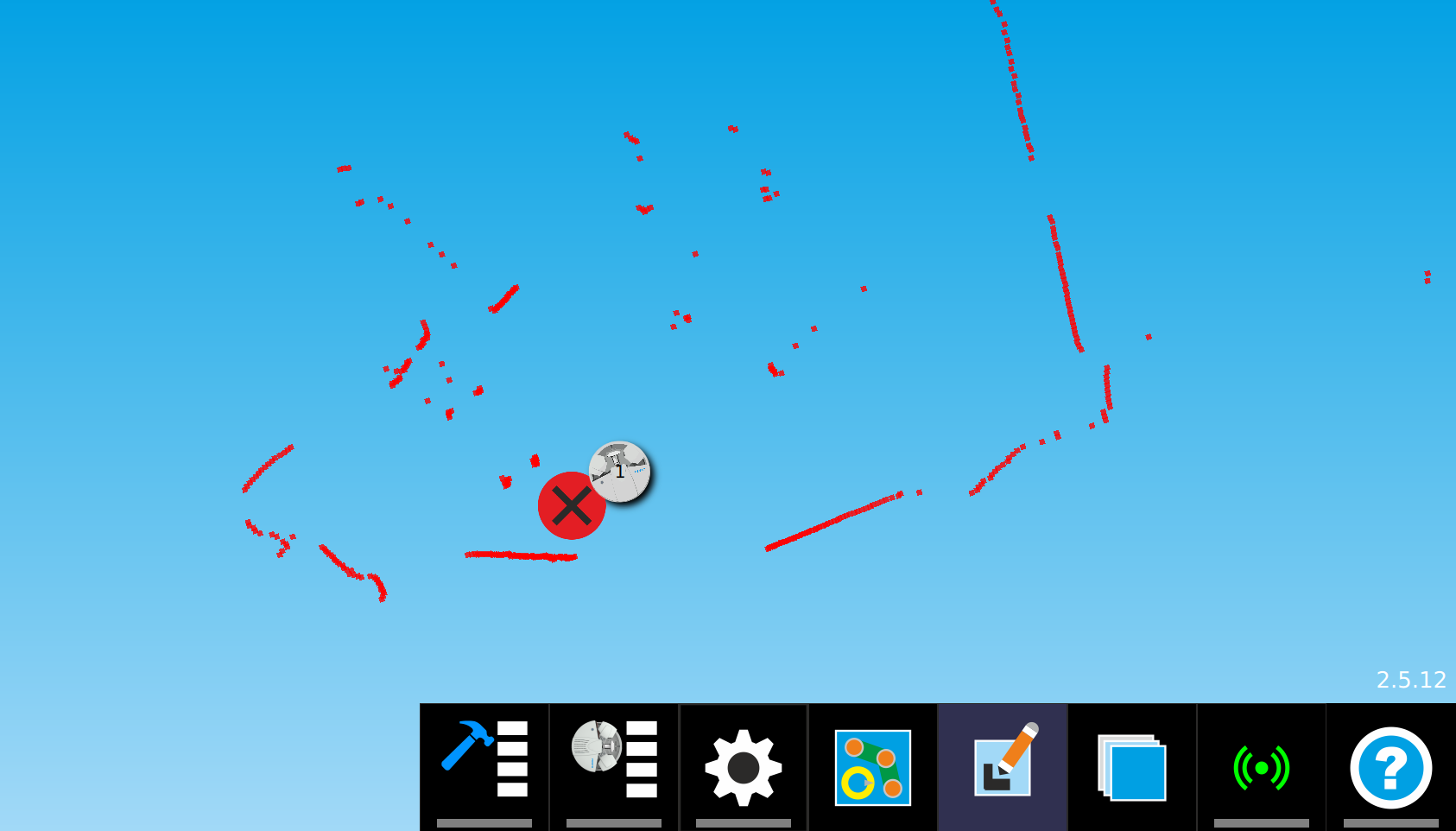
    Unfortunately, I have encountered a new Problem with Robotino Factory.​

    Click image for larger version

Name:	image.png
Views:	219
Size:	63.2 KB
ID:	13145

    ​Although the scanning points from the laser scanner (Hokuyo UST20-LX) are recognized correctly, the mapping doesn't work.
    When I try to create a map, no map is generated, and the process can't be finished, only aborted.
    I created a log bundle which is attached to this post.

    The only odd section I could find in the GMapping Service is:
    Code:
    Jun 05 17:22:41 robotino start-slave-component.sh[4282]: GMappingTask::initGMappingProcessor:STATUS: NODATA ERROR getting laser scan ... retry.
    Jun 05 17:22:41 robotino start-slave-component.sh[4282]: <SmartSoft> Performing state change: Alive->Neutral
    Jun 05 17:22:41 robotino start-slave-component.sh[4282]: ComponentDefinition initialization/startup finished.
    Jun 05 17:22:42 robotino start-slave-component.sh[4282]: laserscan is not vaild!
    Jun 05 17:22:42 robotino start-slave-component.sh[4282]: [GMappingTask::initGMappingProcessor()] Scan points: 1081
    Jun 05 17:22:42 robotino start-slave-component.sh[4282]: [GMappingTask::initGMappingProcessor()] Scan max points : 1081
    Jun 05 17:22:42 robotino start-slave-component.sh[4282]: [GMappingTask::initGMappingProcessor()] Scan res: 0.00436332​
    But why should the scan be invalid when it is displayed correctly?

    Could you have a look at it?

    Thank you!
  • verbeek
    Administrator
    • Mar 2015
    • 242

    #2
    I will answer next week.

    Comment

    • floriegel
      Junior Member
      • May 2023
      • 21

      #3
      Hi,
      Is there any news on this topic?

      Comment

      • verbeek
        Administrator
        • Mar 2015
        • 242

        #4
        ComponentRobotinoBaseServer.service.log gibt die Antwort.

        Bumper has contact

        Have a look in the web interface. What does the bumper show?

        Comment

        • floriegel
          Junior Member
          • May 2023
          • 21

          #5
          I can't find any information about the bumper on the web interface.
          Did I miss something here?
          The bumper is connected correctly as far as I can tell.
          But the log always shows the "bumper has contact" message.
          It also detects if I press the bumper manually.

          Comment

          • verbeek
            Administrator
            • Mar 2015
            • 242

            #6
            Ich gehe mal davon aus, dass Du deutsch spricht. Dein Benutzername impliziert das.

            Im Web INterface gibt es doch die IO Seite. Dort wird auch der Bumper angezeigt.

            Was meinst Du mit Deinem eltzten Satz. Im BaseServer Log steht "Bumper has contact". Was ist anders, wenn Du den Bumper betätigst?

            Comment

            • floriegel
              Junior Member
              • May 2023
              • 21

              #7
              Hi,

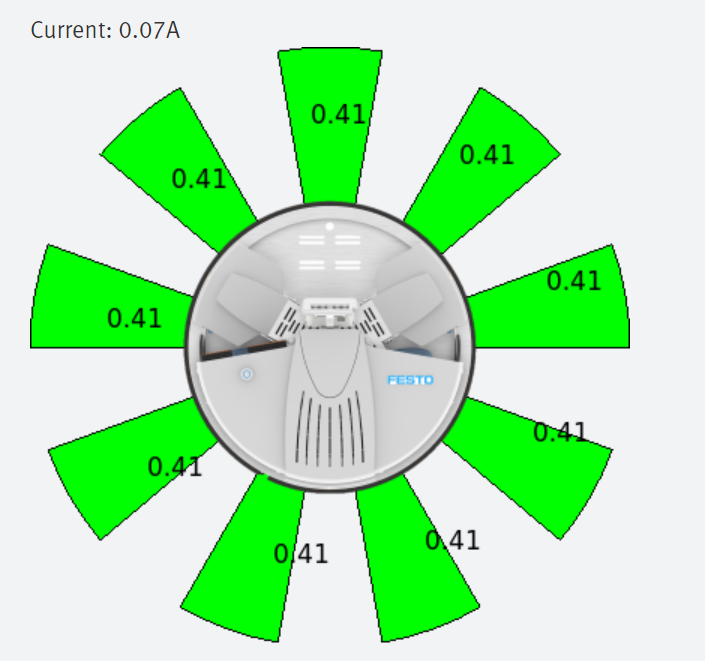
              also das ist die Ausgabe der IO Seite.
              Im Log wird (wenn ich das nicht missinterpretiert habe) angezeigt, wenn der taktile Bumper ausgelöst wird.

              Click image for larger version

Name:	image.png
Views:	132
Size:	99.6 KB
ID:	13176

              Comment

              • verbeek
                Administrator
                • Mar 2015
                • 242

                #8
                Ok. Da sieht man, dass der Bumper NICHT gedrückt ist.

                Wie sieht Dein Robotino aus? Mit Aufbau und Notausschalter. Dann ist entweder der Notausschalter gedrückt oder an der Verkabelung stimmt was nicht.

                Comment

                • floriegel
                  Junior Member
                  • May 2023
                  • 21

                  #9
                  Also soweit ich herausfinden konnte, ist kein Notaus angeschlossen. Testweise habe ich alles außer dem Laser abgesteckt (eine USB-Kamera und ein paar Taster über die digitalen Eingänge).
                  Leider wird immer noch keine Karte erstellt.

                  Comment

                  • verbeek
                    Administrator
                    • Mar 2015
                    • 242

                    #10
                    poste mal deine conf

                    /etc/robotino/smartsoft*

                    Comment

                    • floriegel
                      Junior Member
                      • May 2023
                      • 21

                      #11
                      Smartsoft_common.conf

                      Code:
                      ;The IP address of the SmartSoftMaster
                      ;If this is the machine where the Master components are started then
                      ;you can also set 127.0.0.1
                      ;@web text
                      RemoteNS=127.0.0.1
                      #@restart command begin
                      @name smartsoft-common


                      Smartsoft_master.conf

                      Code:
                      ;@web text
                      FleetManagerIP=0.0.0.0
                      ;@web int
                      FleetManagerPort=13000
                      ;@web selection true false
                      autostart=true
                      ;@web text
                      MasterIP=127.0.0.1
                      #@restart command begin
                      #@name SmartSoftMaster


                      Smartsoft_slave.conf

                      Code:
                      ;This is Robotino's public visible IP4 address.
                      ;@web text
                      RobotinoIP=127.0.0.1
                      
                      ;Every Robotino in the fleet needs a unique RobotinoName. If you have only one Robotino select 1.
                      ;@web selection 1 2 3 4 5 6 7 8 9 10 11 12 13 14 15 16 17 18 19
                      RobotinoName=1
                      
                      ;nanoscan; Sick NanoScan
                      ;s300: Sick S300
                      ;hokuyoURG: Hokuyo URG-04LX-UG01 with USB interface
                      ;lms1xx: Sick LMS1
                      ;fromRGBD: Generate laser from RGBD image
                      ;hokuyoEthernet: Hokuyo UST-10/20LX, UAM and others
                      ;s300old: Sick S300 with old protocol
                      ;@web selection nanoscan s300 hokuyoURG lms1xx fromRGBD hokuyoEthernet s300old
                      lasertype=hokuyoEthernet
                      
                      ;if lasertype is s300 or lms1xx this is the linux device path
                      ;if lasertype is hokuyoEthernet or nanoscan this is the IP4 address
                      ;else this entry is ignored
                      ;@web text
                      LaserDevice=192.168.0.10
                      
                      ;if lasertype is nanoscan this is the IP4 address the
                      ;nanoscan is sending measurement data to.
                      ;if this field is empty the RobotinoIP is used.
                      ;@web text
                      LaserHostIp=192.168.0.1
                      
                      ;@web int
                      LaserOpeningAngle=270
                      
                      ;@web selection true false
                      LaserUpsideDown=false
                      
                      ;@web selection none realsense webcam kinectv2
                      cameratype=realsense
                      
                      ;camera mounting height in mm
                      ;this is extremely important when using the realsense
                      ;to compute a laser scanner​
                      ;the camera roll is fixed to 76° (with the standard realsense mount provided by Festo)
                      ;@web int
                      cameraheight=420
                      
                      ;@web text
                      RobotinoSimIP=
                      
                      ;@web selection true false
                      autostart=true
                      
                      ;@web selection true false
                      startMarkerDetection=false
                      
                      ;@web selection OPC-UA IR
                      mps-communication=IR
                      
                      ;@web selection true false
                      startRobotToRobotDocking=false
                      
                      ;@web selection true false
                      startPersonTracker=false
                      
                      ;@wev selection laser rgbd hybrid
                      PersonTrackerType=laser
                      
                      ;@web selection true false
                      StartCommissioningWebinterface=false
                      
                      ;@web int
                      maxPathAngle=120
                      
                      ;true: use DOUT2 to DOUT4 to signal the system state
                      ;false: DOUT2 to DOUT4 are not used
                      ;@web selection true false
                      SignalDOUT=false
                      
                      ;@web selection none Robotino3 Robotino4
                      ChargerType=Robotino4
                      
                      ;true: use digital input configured in ComponentRobotinoConveyerBeltServer.ini.in to reset error
                      ;false: ignore signal from digital input
                      ;@web selection true false
                      ResetErrorFromDI=true
                      
                      ;true: use OMPL planner to find dynamically planned path within corridor
                      ;false: simply drive in the middle of the corridor
                      ;@web selection true false
                      EnablePlanningInPathNavMode=false
                      
                      #@restart command begin
                      #@name SmartSoftSlave​​

                      Comment

                      • verbeek
                        Administrator
                        • Mar 2015
                        • 242

                        #12
                        Könntest Du im Terminal auf Robotino mal folgendes eingeben

                        sudo robtopic echo bumper

                        Comment

                        • floriegel
                          Junior Member
                          • May 2023
                          • 21

                          #13
                          Der scheint nicht ausgelöst zu werden:

                          Code:
                          09:21:25.047 | bumper: not hit
                          09:21:25.067 | bumper: not hit
                          09:21:25.087 | bumper: not hit
                          09:21:25.107 | bumper: not hit
                          09:21:25.127 | bumper: not hit
                          09:21:25.147 | bumper: not hit
                          09:21:25.167 | bumper: not hit
                          09:21:25.186 | bumper: not hit
                          09:21:25.207 | bumper: not hit
                          09:21:25.228 | bumper: not hit
                          09:21:25.247 | bumper: not hit
                          09:21:25.268 | bumper: not hit
                          09:21:25.286 | bumper: not hit​

                          Comment

                          • verbeek
                            Administrator
                            • Mar 2015
                            • 242

                            #14
                            Hi,
                            da stimmt irgendetwas ganz und gar nicht. robtopic und das webinterface zeigen, dass der Bumper nicht auslöst. Der RobotinoBaseServer bekommt aber ein bumperEvent geschickt. robtopic und der RobotinoBaseServer verwenden die gleiche Schnittstelle,um über den Bumper informiert zu werden.

                            Hast Du vielleicht meherere Robotinos? Gehst Du mit Tastatur,Maus und Bildschirm an den Robotino? Oder loggst Du Dich remote ein und erwischt vielleicht den falschen?

                            Comment

                            • floriegel
                              Junior Member
                              • May 2023
                              • 21

                              #15
                              Wir haben nur einen robotino hier. Daran kanns also eigentlich nicht liegen. Der Robotino wurde kürzlich auch auf einer neuen Festplatte neu aufgesetzt. Das heißt, es gibt keine zusätzlich installierte Software o. Ä. An der Konfiguration haben wir auch nichts verändert.

                              Comment

                              Working...