Robotino factory not working

Collapse
X
 
  • Time
  • Show
Clear All
new posts
  • floriegel
    Junior Member
    • May 2023
    • 21

    #1

    Robotino factory not working

    Hi,

    i just freshly installed the latest image (4.20.9) on e new SSD as described on the RobotinoWiki. Unfortunately, robotino factory isn't working.
    I can access the webinterface and establish a connection via robotino view. According to the webinterface, smartsoft is running (master and slave) in version 3.3.3.
    But when I try to connect from Robotino Factory (on the robotino via 127.0.0.1), the connection sign becomes green but nothing happens.
    When smartsoft slave is active, a robotino symbol with a red cross at its side appears on the canvas and the IP field shows NIA.
    Do you have any suggestion?

    Thank you!
  • verbeek
    Administrator
    • Mar 2015
    • 242

    #2
    Please check the configuration files. Can you post the slave and master conf files from /etc/robotino?

    Comment

    • floriegel
      Junior Member
      • May 2023
      • 21

      #3
      These are the config files.
      Attached Files

      Comment

      • verbeek
        Administrator
        • Mar 2015
        • 242

        #4
        Please also post smartsoft_common.conf

        Comment

        • floriegel
          Junior Member
          • May 2023
          • 21

          #5
          This is the smartsoft_common config file.
          Attached Files

          Comment

          • verbeek
            Administrator
            • Mar 2015
            • 242

            #6
            The configuration looks fine. Strange. I would need more infos. Please post a logbundle.

            Comment

            • floriegel
              Junior Member
              • May 2023
              • 21

              #7
              Thanks a lot! I really appreciate your help!
              Attached Files

              Comment

              • verbeek
                Administrator
                • Mar 2015
                • 242

                #8
                Everything looks fine. What exactly is the problem? Could you post a screenshot of Robotino Factory?

                Comment

                • floriegel
                  Junior Member
                  • May 2023
                  • 21

                  #9
                  Good morning,

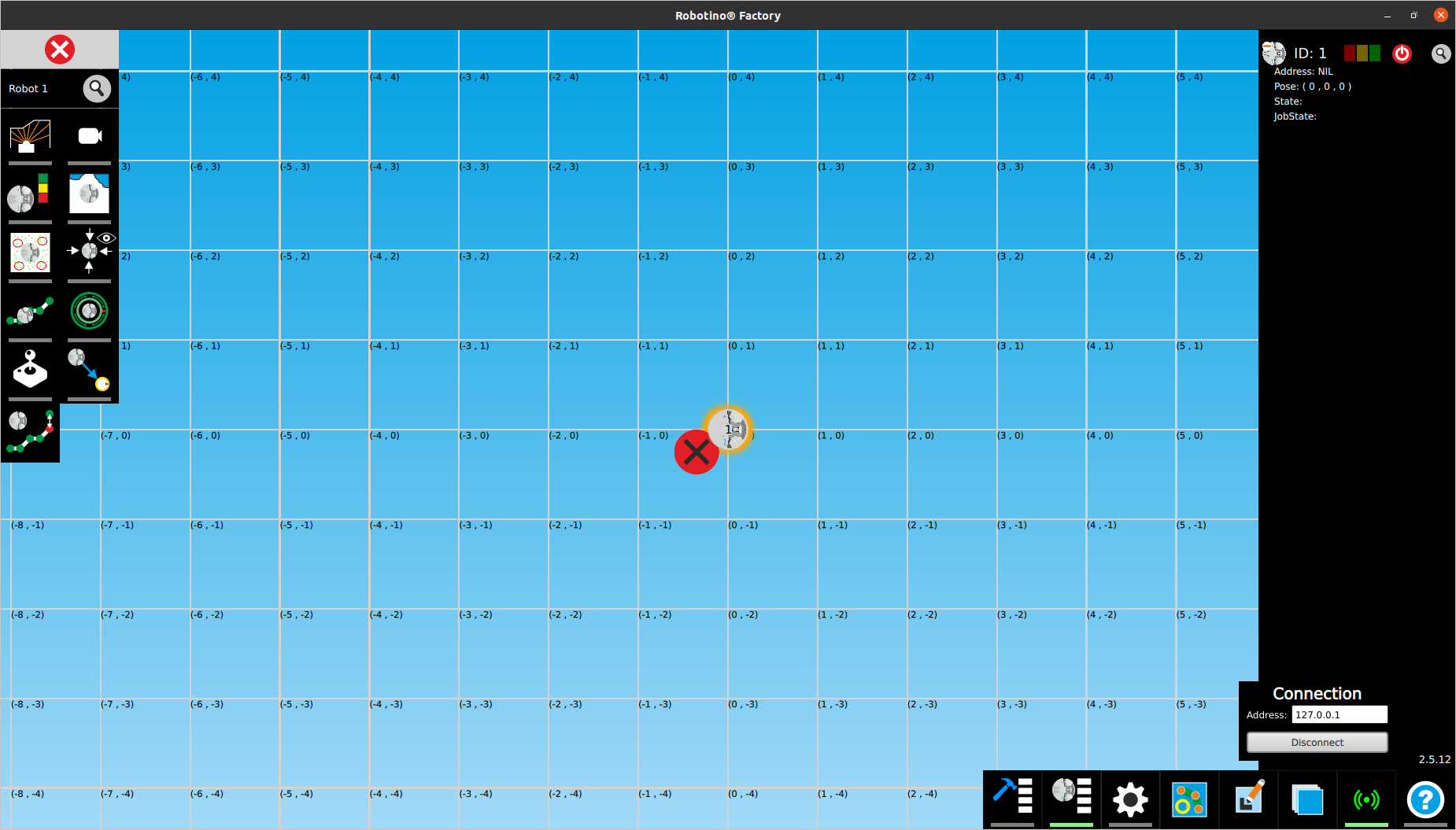
                  the image shows the state of robotino factory after connecting to Robotino locally (symbol turns green and it says connected).
                  As you can see, there is a small red cross on its side and the IP says NIL.
                  When I try to record a map, nothing happens. Robotino doesn't move and no sensor data is shown.
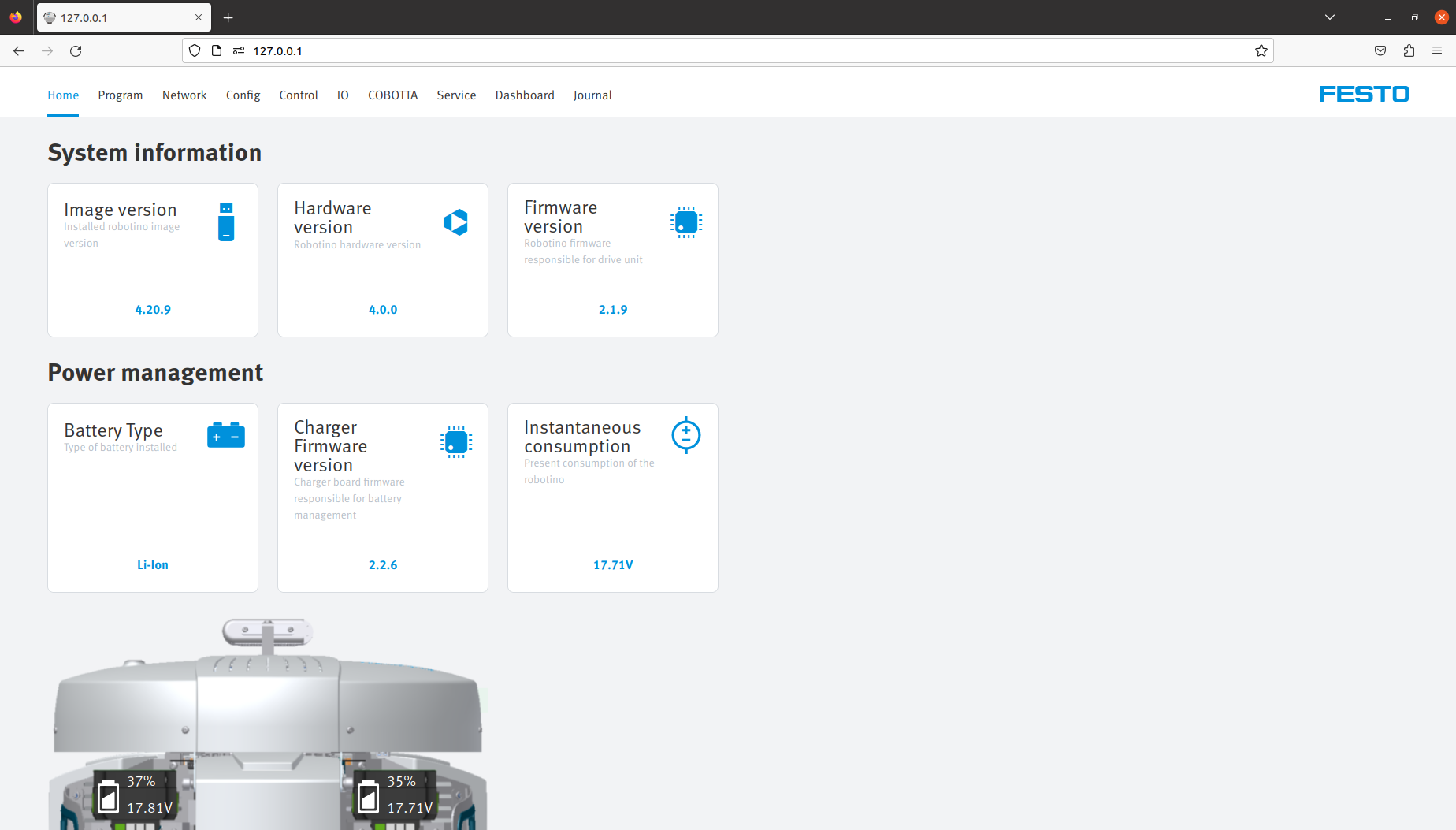
                  However, it works perfectly to connect to the online interface and move Robotino manually or via the preconfigured programs (second image).
                  It seems like only Robotino Factory isn't working.
                  Attached Files

                  Comment

                  • verbeek
                    Administrator
                    • Mar 2015
                    • 242

                    #10
                    In smartsoft_slave.conf you configured Robotino's IP address to be 172.26.1.1

                    Is Robotino reachable under this address? Can you enter 172.26.1.1 in the web interface and you get the web pages?

                    You could configure 127.0.0.1 as Robotino's IP address in smartsoft_slave.conf. But if you want to connect from outside Robotino you should configure Robotino's non local address there.

                    Comment

                    • floriegel
                      Junior Member
                      • May 2023
                      • 21

                      #11
                      The web interface is reachable over 172.26.1.1.
                      I tried before to change the RobotinoIP to 127.0.0.1. Unfortunately, this doesn't solve the problem.
                      Last edited by floriegel; 05-30-2023, 12:56 PM.

                      Comment

                      • verbeek
                        Administrator
                        • Mar 2015
                        • 242

                        #12
                        Please open a terminal and execute

                        ifconfig

                        please post the output

                        Comment

                        • floriegel
                          Junior Member
                          • May 2023
                          • 21

                          #13
                          This is the output from ifconfig.
                          A Hokuyo laser scanner is connected via the ethernet port.
                          Code:
                          eth0: flags=4163<UP,BROADCAST,RUNNING,MULTICAST>  mtu 1500
                                  inet 172.26.1.1  netmask 255.255.255.0  broadcast 172.26.1.255
                                  inet6 fe80::6935:f9c9:bd52:dc21  prefixlen 64  scopeid 0x20<link>
                                  ether 74:fe:48:42:95:9e  txqueuelen 1000  (Ethernet)
                                  RX packets 168  bytes 29289 (29.2 KB)
                                  RX errors 0  dropped 0  overruns 0  frame 0
                                  TX packets 67  bytes 8993 (8.9 KB)
                                  TX errors 0  dropped 0 overruns 0  carrier 0  collisions 0
                                  device interrupt 16  memory 0xa1200000-a1220000  
                          
                          lo: flags=73<UP,LOOPBACK,RUNNING>  mtu 65536
                                  inet 127.0.0.1  netmask 255.0.0.0
                                  inet6 ::1  prefixlen 128  scopeid 0x10<host>
                                  loop  txqueuelen 1000  (Local Loopback)
                                  RX packets 206589  bytes 62355445 (62.3 MB)
                                  RX errors 0  dropped 0  overruns 0  frame 0
                                  TX packets 206589  bytes 62355445 (62.3 MB)
                                  TX errors 0  dropped 0 overruns 0  carrier 0  collisions 0
                          
                          wlan0: flags=4163<UP,BROADCAST,RUNNING,MULTICAST>  mtu 1500
                                  inet 10.157.114.213  netmask 255.255.255.0  broadcast 10.157.114.255
                                  inet6 fe80::9a36:2c68:b04:d9a1  prefixlen 64  scopeid 0x20<link>
                                  ether a0:f3:c1:27:2b:f3  txqueuelen 1000  (Ethernet)
                                  RX packets 404  bytes 33428 (33.4 KB)
                                  RX errors 0  dropped 0  overruns 0  frame 0
                                  TX packets 150  bytes 19875 (19.8 KB)
                                  TX errors 0  dropped 0 overruns 0  carrier 0  collisions 0
                          ​

                          Comment

                          • verbeek
                            Administrator
                            • Mar 2015
                            • 242

                            #14
                            Ok, now I learned that you are using a Hokuyo UST-10LX. You should change teh smartsoft_slave.conf

                            lasertype=hokuyoEthernetfromRGBD

                            The UST-10LX has 192.168.0.10 as default address. So you should configure eth0 to 192.168.0.1

                            RobotinoIP you should use the WLAN ip address. Otherwise you can not connect from outside Robotino.

                            Comment

                            • floriegel
                              Junior Member
                              • May 2023
                              • 21

                              #15
                              Ok. Wow. That did the trick. I didn't think of configuring the lidar first.
                              Thank you so much!

                              Comment

                              Working...