How can i install smartsoft?

Collapse
X
 
  • Time
  • Show
Clear All
new posts
  • tressuretm
    Junior Member
    • May 2018
    • 15

    #1

    How can i install smartsoft?

    Good day,

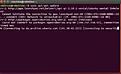
    I have robotino 3(3.1.6-smartsoft-2.3.4) that i was able to use it with Hokuyo scanner and Robotino Factory few weeks ago. suddenly smartsoft master stopped working. i tried to update smart soft with this command (sudo apt-get update) and didn't work (refer to attached), even though robotino has internet connection. i then cleared smartsoft with these commands:

    sudo apt-get purge robotino-smartsoft-master
    robotino-smartsoft-common robotino-smartsoft-slave

    and tried to update smartsoft again, still same error,

    I also tried to reload robotino image, but no success, after i select boot from USB, Microcore it shows a screen with many dots like this:
    ...............................
    ...............................
    ...............................
    ...............................

    please help I need smartsoft master and slave running again.

    thank you

    Kind regards
    Tressure
  • verbeek
    Administrator
    • Mar 2015
    • 242

    #2
    Hi,
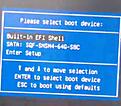
    mSata board broken? BIOS settings lost? I have to few information to get an idea of what happened. Could you post a picture of the boot menu where you select the USB stick to install the image?
    Regards
    Christian

    Comment

    • tressuretm
      Junior Member
      • May 2018
      • 15

      #3
      Dear Christian,

      Thank you for the speedy response.

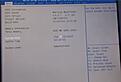
      Please refer to attached. Sadly the USB with the image now no longer appears.

      mSata board broken? BIOS settings lost? Honestly I don't know. How can I diagnose this?

      kind regards
      Tressure

      Comment

      • verbeek
        Administrator
        • Mar 2015
        • 242

        #4
        It might happen that the USB stick is not recognized. Plug it out, power off Robotino, plug in power on Robotino hold F7 for the boot menu. Check the BIOS. Are the options for USB boot? Legacy support? This has to be enabled.

        Comment

        • tressuretm
          Junior Member
          • May 2018
          • 15

          #5
          Thanks.

          I have tried this. Plugged the USB on a different port. On Monday I will verify the BIOS settings.

          Kind regard
          Tressure

          Comment

          • tressuretm
            Junior Member
            • May 2018
            • 15

            #6
            Hi Christian.


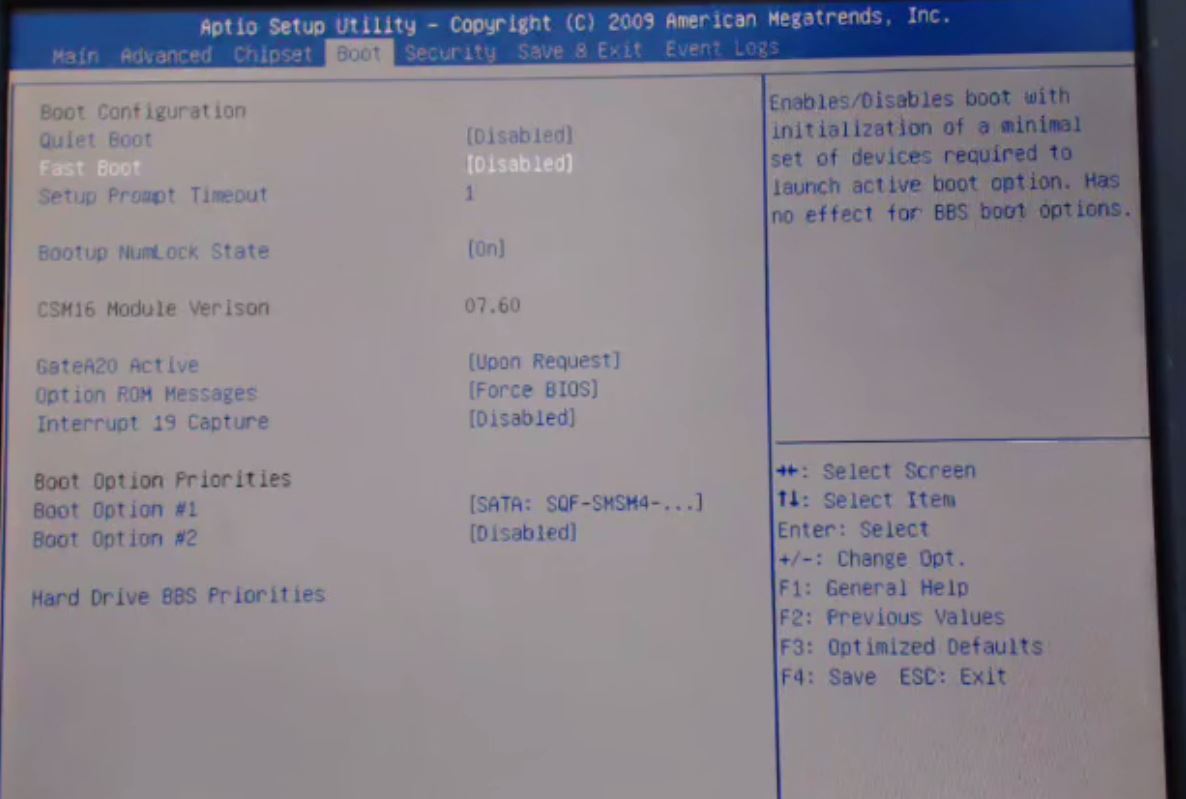
            Please see attached, I cannot identify anything wrong in the boot settings.

            regards
            Tressure
            Attached Files

            Comment

            • verbeek
              Administrator
              • Mar 2015
              • 242

              #7
              Can you send images of all pages from the BIOS?

              Comment

              • tressuretm
                Junior Member
                • May 2018
                • 15

                #8
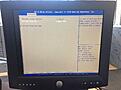
                yes. please see attached.

                Comment

                • verbeek
                  Administrator
                  • Mar 2015
                  • 242

                  #9
                  There is no information in the pictures. You have to look into the sub-menus. Is there something with legacy support?

                  Could you replace the mSATA disk in Robotino with a new one? Maybe the mSATA disk is broken. This happened to me a couple of times.

                  Comment

                  • tressuretm
                    Junior Member
                    • May 2018
                    • 15

                    #10
                    I have the Robotino online now. if you don't mind, can you join gotomeetings: https://global.gotomeeting.com/join/287861277 PSW: festo1973

                    Comment

                    • verbeek
                      Administrator
                      • Mar 2015
                      • 242

                      #11
                      So what fixed your problem? If Robotino is online then your previous problems had been solved.

                      Comment

                      • tressuretm
                        Junior Member
                        • May 2018
                        • 15

                        #12
                        the problem is not fixed, im using webcam to show boot setting of robotino

                        Comment

                        • tressuretm
                          Junior Member
                          • May 2018
                          • 15

                          #13
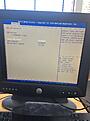
                          Please see attached. Legacy ROM is selected in advanced settings. and Legacy USB Support is Enabled

                          Comment

                          • verbeek
                            Administrator
                            • Mar 2015
                            • 242

                            #14
                            This looks good. And you are still not able to boot from the USB stick? Pressing F7 gives you the boot menu. It worked once you said.

                            Comment

                            • tressuretm
                              Junior Member
                              • May 2018
                              • 15

                              #15
                              I have tried to boot from USB since last week. i will try again now and give you feedback

                              Comment

                              Working...